
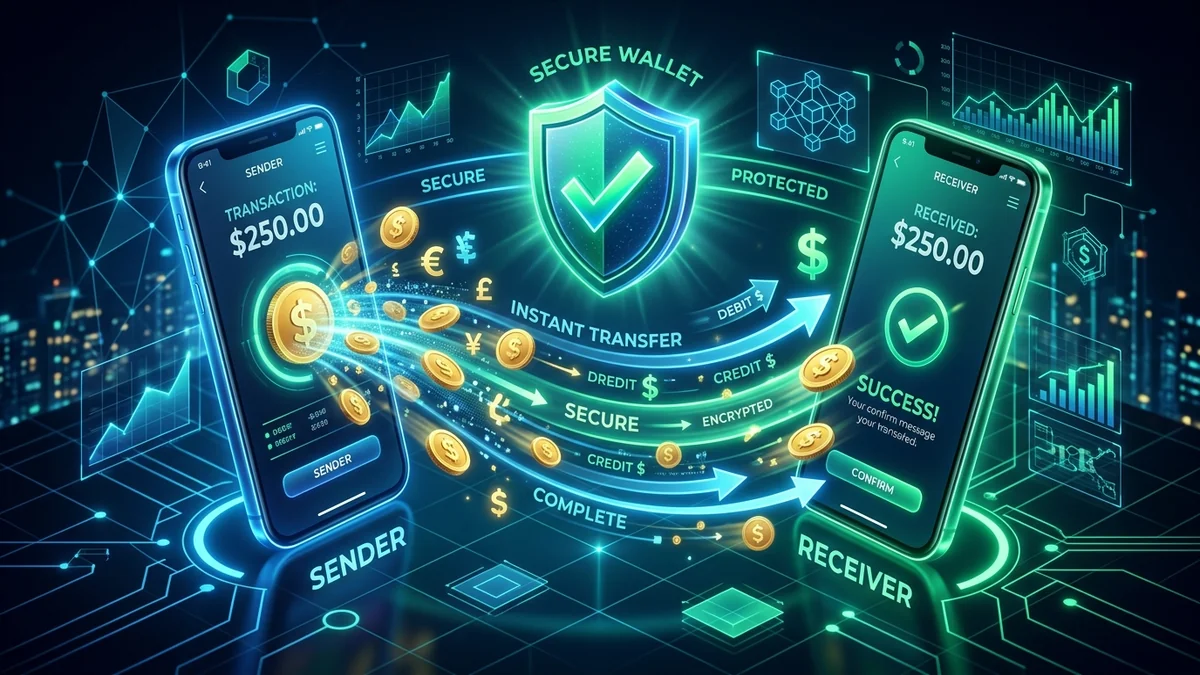
For mobile players in Pakistan, fast and dependable financial transfers are essential. Nobody wants to wait hours for a deposit to show up or wonder when their hard-earned cashout will hit their mobile account. When interacting with the entertainment features of the p999 game portal, having your mobile wallet properly linked makes every single transaction effortless.
In this guide, you will learn the exact steps required to deposit funds safely and withdraw your money using Pakistan's two most popular digital mobile payment systems: EasyPaisa and JazzCash. We will explain how to set up your account, avoid common mistakes, and ensure your payouts arrive in your mobile wallet in under fifteen minutes.
Supported Mobile Wallets in Pakistan
Pakistani players no longer need traditional international credit cards or complicated banking paperwork. The platform connects directly with localized payment processors:
- EasyPaisa (Telenor Microfinance Bank): Pakistan's premier branchless banking app with instant push-notification approvals.
- JazzCash (Mobilink Microfinance Bank): Widely used across all urban and rural cities in Pakistan with instantaneous USSD PIN confirmations.
- Direct Pakistani Bank Accounts: Supporting all Raast-connected financial institutions such as Meezan Bank, HBL, Allied Bank, and UBL.
⚠️ Most Important Rule: Name Matching
Your registered full name on the gaming app MUST exactly match the official registered title on your EasyPaisa or JazzCash account. Automated banking gateways automatically decline transfers if there is a mismatch between the account holder's name and the receiving wallet.
How to Deposit via EasyPaisa & JazzCash Step-by-Step
Adding credit to your wallet is an automated, real-time process. Just follow these four simple steps:
- Open the Cashier / Wallet Menu: Tap the Wallet or Shop icon located at the top right of your game screen.
- Select Your Preferred Channel: Tap on the EasyPaisa or JazzCash logo.
- Enter Your Desired Amount: Choose from quick amounts (PKR 500, 1000, 3000, 5000) or type your custom amount. Note the minimum starting balance is just PKR 100.
- Confirm the Payment Prompt: Type your 11-digit active mobile wallet phone number. A push approval notification will appear on your phone screen. Open your EasyPaisa or JazzCash application, review the transaction request, and enter your private 4-digit or 5-digit secret MPIN.
Within 10 to 30 seconds of approving the MPIN on your mobile screen, the gaming wallet balance will refresh automatically.
How to Withdraw Money Directly to Your Wallet
Withdrawing your winnings is just as straightforward as depositing. Here is how to complete a successful cashout request:
- Navigate to the Withdrawal tab inside your account profile.
- Bind your mobile wallet by typing your active account number (e.g., 03001234567) and the verified account holder title.
- Type the amount you wish to withdraw (minimum withdrawal is PKR 200).
- Set and confirm your unique 6-digit withdrawal security PIN. This security code ensures nobody else can initiate a transfer from your phone even if they borrow your device.
- Click Submit.
| Payment Method | Minimum Deposit | Minimum Cashout | Average Processing Speed |
|---|---|---|---|
| EasyPaisa Wallet | PKR 100 | PKR 200 | 3 – 10 Minutes |
| JazzCash Wallet | PKR 100 | PKR 200 | 5 – 15 Minutes |
| Bank Transfer (Raast) | PKR 500 | PKR 500 | 15 – 45 Minutes |
4 Common Cashout Pitfalls and How to Prevent Them
1. Forgetting to Complete the Turnover Requirement
Like all regulated mobile gaming entertainment apps, when you claim a welcome promotion bonus or match reward, there is usually a small 1x wagering turnover requirement before funds become unlocked for withdrawal. Make sure your active balance is listed as "Withdrawable Cash" in your wallet dashboard.
2. Exceeding Your Monthly Wallet Limit
Level 0 (unverified biometric) EasyPaisa and JazzCash accounts have strict State Bank of Pakistan daily and monthly receiving limits (often PKR 50,000 per month). If your mobile wallet has reached its maximum monthly ceiling, the banking gateway cannot send additional funds into your phone. Simply visit any local retailer or franchise to complete biometric biometric thumb verification to upgrade your wallet to Level 1 or Level 2.
3. Double-Check Every Digit Before Submitting
Always verify the 11 digits of your mobile phone number. If you mistype a single number, the funds could either be delayed in pending status or sent to an unintended recipient. Taking five extra seconds to verify the phone number protects your hard-earned winnings.
4. Keep Transaction Screenshot Receipts
Whenever you approve a deposit or submit a cashout, take a quick screenshot of the confirmation page or the 8558 / 3737 carrier SMS receipt. If there is ever an internet disconnection, your screenshot allows the 24/7 customer support team to trace and credit your funds within a few minutes.
Summary
Managing your money using EasyPaisa and JazzCash is fast, secure, and tailored for Pakistan. By making sure your account names match and observing standard wallet receiving limits, you can enjoy seamless deposits and rapid payouts every single day.
Frequently Asked Questions About EasyPaisa & JazzCash Cashouts
What should I do if my deposit was deducted from JazzCash but not added to the game?
Do not panic. Banking servers occasionally experience brief micro-delays during peak banking hours (between 6:00 PM and 9:00 PM). First, check your JazzCash transaction history or the 8558 SMS receipt for the 12-digit Transaction ID (TID). Take a clear screenshot of the deduction receipt and send it to the 24/7 in-app live customer support chat. A support agent will manually verify the TID with the payment gateway and credit your wallet within 10 to 15 minutes.
Can I withdraw funds to a friend or relative's EasyPaisa account?
No. For security and anti-fraud compliance, withdrawals must be sent to an account registered in your own name. Attempting to withdraw funds to multiple different mobile numbers with conflicting account titles will trigger automated security audits and put your cashout on temporary hold. Always use your personal mobile wallet for all financial transactions.
Are there any hidden fees or government taxes on withdrawals?
The platform does not deduct any hidden transaction service charges on standard mobile wallet cashouts. However, standard telecom carrier SMS alert charges (such as PKR 0.20 per SMS from Telenor or Jazz) may apply as determined by your cellular network provider. What you request in your withdrawal screen is the exact amount sent to your wallet.
How many cashout requests can I make in a single day?
Active players can submit up to three separate withdrawal requests within a 24-hour period. We recommend combining your daily winnings into one single withdrawal request at the end of your gaming session rather than making numerous tiny cashouts. This keeps your mobile wallet statement organized and ensures the fastest possible processing speed.
What is the difference between Account Balance and Withdrawable Balance?
Account Balance displays your total available credits, which includes promotional bonus cash, match rewards, and earned winnings. Withdrawable Balance is the portion of your funds that has satisfied standard turnover requirements and is ready for immediate cashout. Once you participate in casual rounds, bonus funds convert directly into withdrawable cash.